

OTP input — Usage
Try it
Section titled “Try it”Type a code, paste 123-456, or click a middle slot to edit it. It renders and runs right here
(OtpInput and useState are already in scope).
function TryIt() {
  const [code, setCode] = useState('')
  const [done, setDone] = useState(null)
  return (
    <div>
      <div style={{ fontSize: '1.25rem' }}>
        <OtpInput
          length={6}
          value={code}
          onChange={setCode}
          onComplete={setDone}
          label="Try @rxova/react-otp-input"
        />
      </div>
      <p style={{ margin: '0.75rem 0 0', color: 'var(--rx-muted)' }}>
        value = <b>{code || 'empty'}</b>
        {done ? ` — completed: ${done}` : ' — type, paste “123-456”, or tap a middle slot'}
      </p>
    </div>
  )
}
Install
Section titled “Install”pnpm add @rxova/react-otp-input # or: npm i / yarn add / bun addreact (>= 18) is the only peer dependency — nothing else to install, and no stylesheet to import.
Then it is one import: import { OtpInput } from '@rxova/react-otp-input'.
import { OtpInput } from '@rxova/react-otp-input'
const [code, setCode] = useState('')
<OtpInput length={6} value={code} onChange={setCode} onComplete={verify} label="One-time code" />
Why this one, not another OTP field
Section titled “Why this one, not another OTP field”- One native input. Paste, SMS autofill (
autocomplete="one-time-code"), IME, undo, and native<form>submission all come from the platform, not from hand-rolled JavaScript across N inputs. - Tap any slot to edit it. The input’s characters sit at their true slot pitch, so a click or tap lands the caret where you touched — which a collapsed single-input field physically can’t do.
- Type immediately after clicking. Keyboard input cancels any still-pending pointer placement, so a delayed browser frame cannot move the caret and reorder a rapidly typed code.
- WebOTP — programmatic SMS retrieval (
useWebOTP) that no other OTP library ships. - Headless — zero runtime dependencies, no stylesheet, ~3.6 kB brotli, styled entirely with
--rx-otp-*tokens anddata-*hooks. - Correct on the seams — formatted paste, Chrome auto-translate, RTL, alphanumeric, SSR/RSC, and
a
stringonChangethat pairs cleanly with every form library.
More on the architecture and its one honest tradeoff in Why this exists.
Into a form in one line
Section titled “Into a form in one line”onChange emits the sanitized string, and the underlying input posts natively under name:
React Hook Form · Formik ·
React Final Form · TanStack Form ·
plain <form>
- Spatial slots — tap-to-edit and the iOS tradeoff
- Codes & autofill — paste, SMS, and WebOTP
- Accessibility · Styling · Forms
- Migrating from another OTP library
- API reference — generated from the source on every build
Spatial slots
Section titled “Spatial slots”The flagship. Because the underlying input’s characters sit at their true slot pitch, a click or tap lands the caret on the slot under your finger — so you can edit any slot, not just the last one.
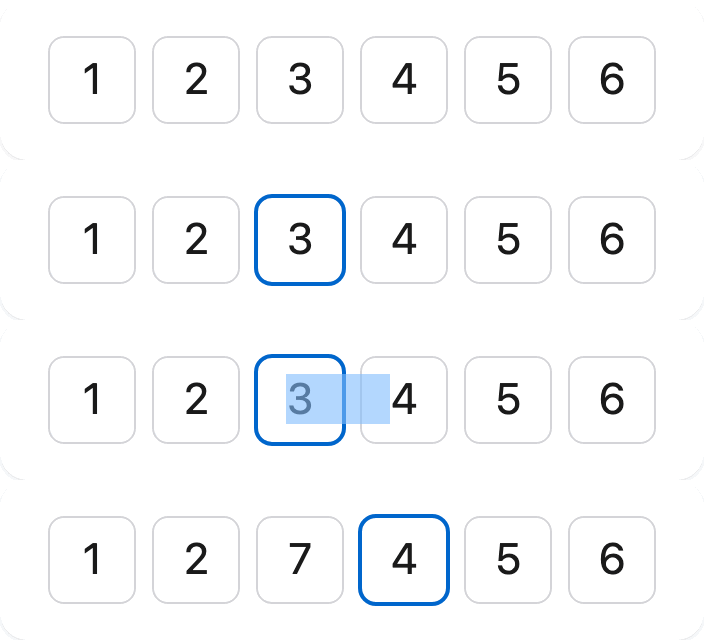
Try it — type a code, then click the third box and retype it:
function Spatial() {
  const [code, setCode] = useState('482913')
  return <OtpInput length={6} value={code} onChange={setCode} label="Editable code" />
}
This is what a collapsed single-input field can’t do: crushing the input to a ~1 px column means a click has no character to land on, so the caret only moves by arrow key.
slotInteraction
Section titled “slotInteraction”| Value | Behaviour |
|---|---|
"spatial" (default) | Tap any slot to edit it. Auto-degrades to "crush" on iOS. |
"crush" | The collapsed-input technique everywhere. Tap-to-edit falls back to keyboard + caret. |
<OtpInput length={6} value={code} onChange={setCode} label="Code" /> // spatial (default)<OtpInput length={6} value={code} onChange={setCode} label="Code" slotInteraction="crush" />The iOS tradeoff
Section titled “The iOS tradeoff”iOS Safari cannot fully style ::selection to transparent, so a selection spanning slots can
show a faint native highlight. The default therefore feature-detects iOS and silently falls back to
"crush" there — tap-to-edit stays keyboard-plus-caret on iOS, full spatial everywhere else.
- Keep
"spatial"explicitly to force spatial on iOS and accept the highlight. - Use
"crush"to force the collapsed-input behaviour on every platform.
The escape hatch is one prop, not a fork. It’s the same kind of documented, chosen default as any platform limitation — surfaced here rather than hidden.
How it works
Section titled “How it works”The input overlays the whole row with transparent text and a transparent caret. A layout effect
measures the rendered slot width and gap, then sets the input’s letter-spacing and text-indent so
each glyph centres in its slot. Everything visible — the characters and the blinking caret — is
painted per slot from the input’s live selection state.
Codes & autofill
Section titled “Codes & autofill”Receiving the code is where OTP fields quietly break. Here every path is treated as the spec.
Paste a formatted code and the separators are stripped, the digits distributed, overflow truncated, and any selection replaced:
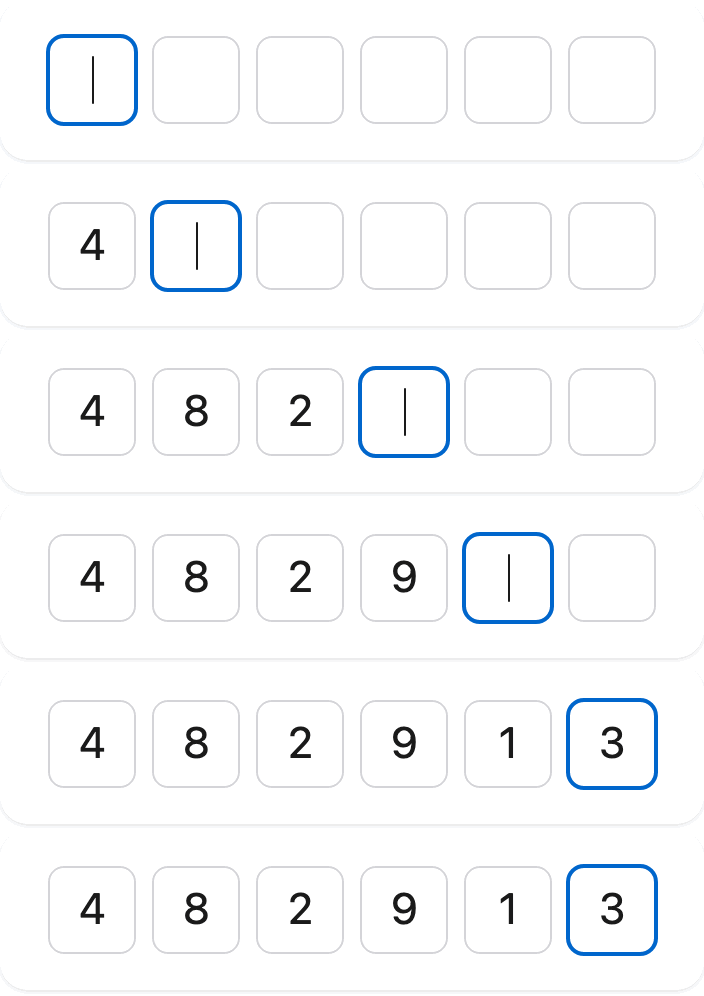
function Paste() {
  const [code, setCode] = useState('')
  return (
    <div>
      <OtpInput length={6} value={code} onChange={setCode} label="Paste 123-456" />
      <p style={{ fontSize: '0.9rem' }}>
        value = <b>{code || 'empty'}</b>
      </p>
    </div>
  )
}
By default - . _ and whitespace are stripped. Override pasteTransform for anything else:
<OtpInput length={6} value={code} onChange={setCode} pasteTransform={(text) => text.replace(/[^0-9]/g, '')} // keep digits only label="Code"/>SMS autofill
Section titled “SMS autofill”The underlying input carries autocomplete="one-time-code", so iOS and Android surface the code from an
incoming SMS above the keyboard — and because there is a single field, the whole code fills at
once (N-input libraries famously autofill only the first box). Override the attribute if you need to:
<OtpInput autoComplete="one-time-code" length={6} /* … */ />WebOTP (Android Chrome)
Section titled “WebOTP (Android Chrome)”Opt into programmatic SMS retrieval — the primitive no other OTP library ships. It’s layered on top
of autocomplete, never instead of it, and no-ops everywhere the API is absent:
<OtpInput length={6} value={code} onChange={setCode} webOTP label="Code" />Full details, including the standalone useWebOTP hook and its
AbortController cleanup, in the WebOTP recipe.
Masking
Section titled “Masking”Render a mask instead of the value for sensitive codes:
function Masked() {
  const [code, setCode] = useState('1234')
  return <OtpInput length={4} value={code} onChange={setCode} mask label="PIN" />
}
mask accepts true (renders •) or a custom character (mask="*").
Garbage never crashes the page
Section titled “Garbage never crashes the page”A controlled value of undefined, a number, an over-length string, disallowed characters, or SMS
junk are all sanitized to the allowed set and clamped to length. A code is data; receiving it must
never throw.